

Remove Glare from Glasses Free
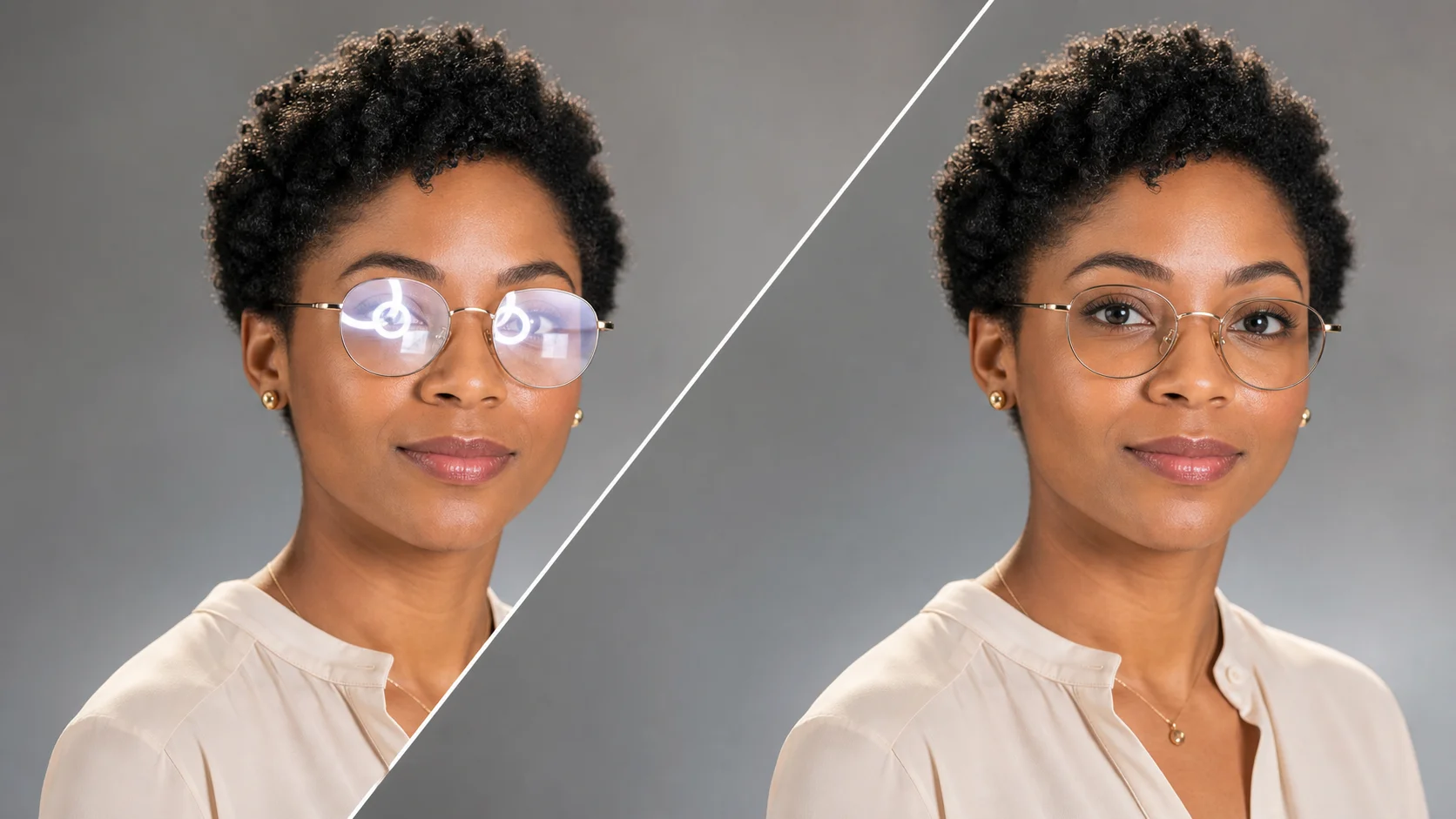
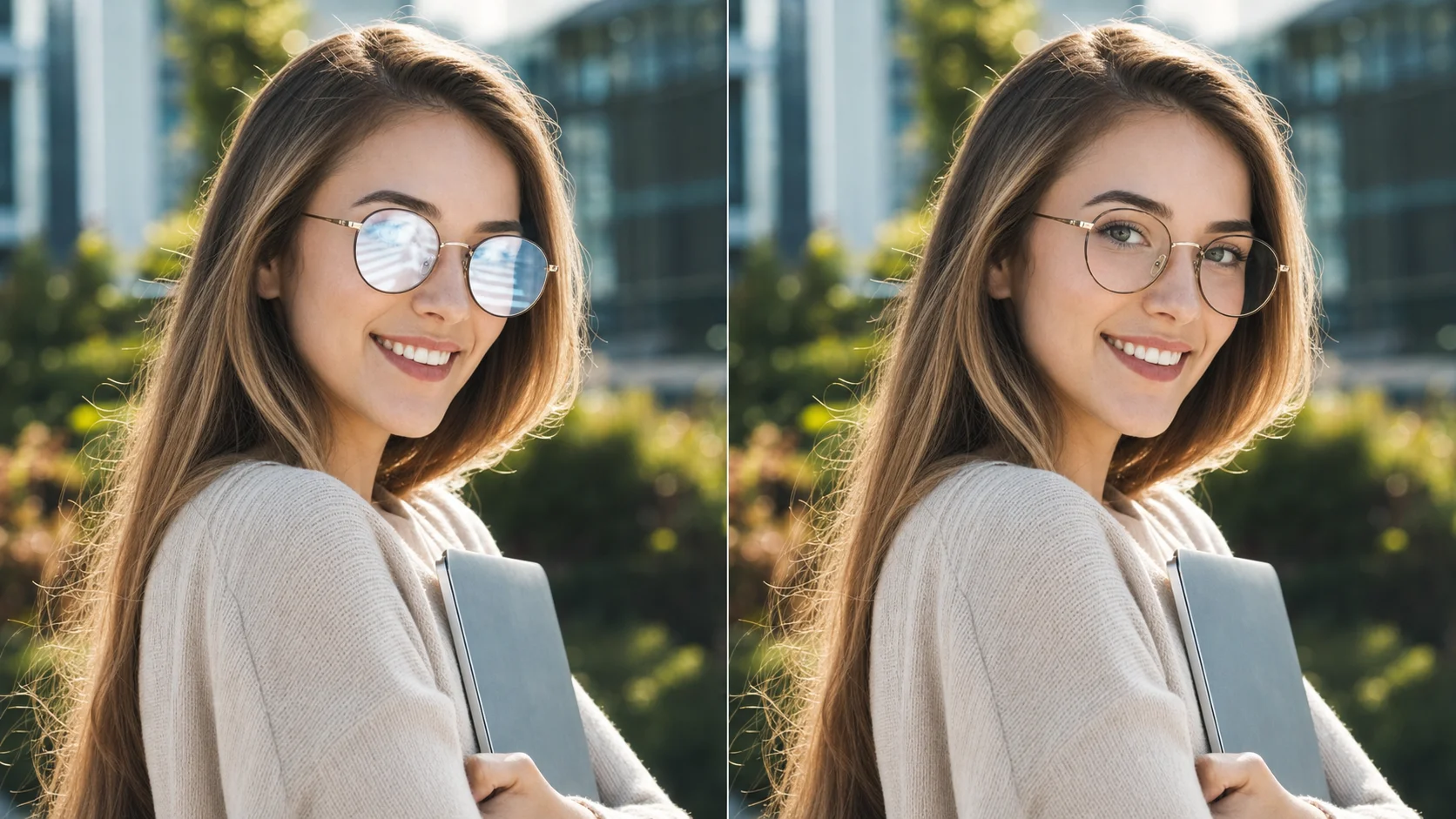
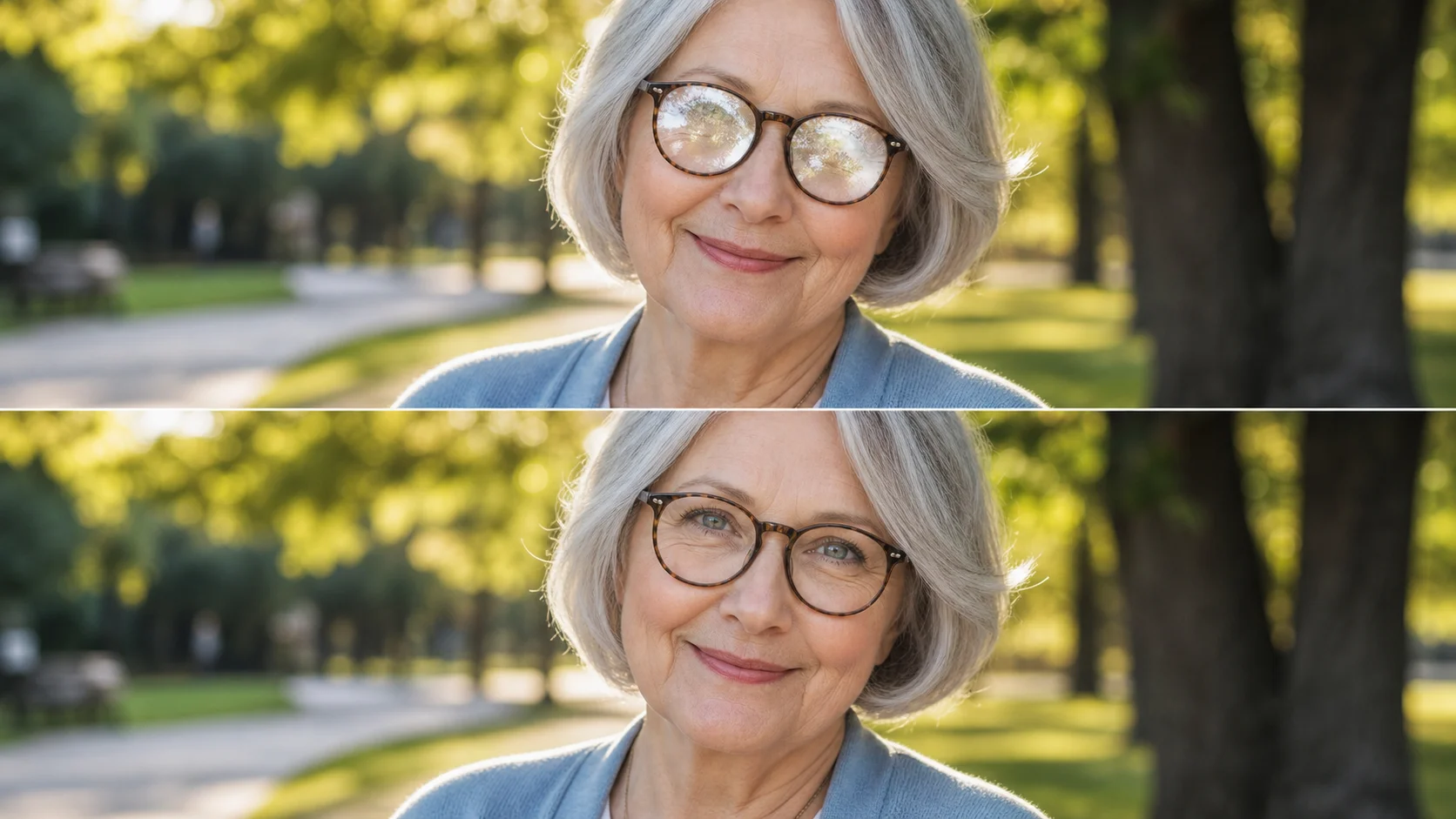
Got a photo ruined by lens glare? Upload it here. No account, no payment, no complicated tools. The AI looks at every pixel through the glasses, figures out where the reflection is sitting, and rebuilds the lens area so it looks natural. Works on selfies, Zoom call screenshots, passport photos, and casual portraits taken near windows. Try it once and see the difference immediately.
Remove Glare from Glasses in One Click — Free & Instant
Bad lens reflection ruining your best photo? nana img fixes glasses glare automatically. Upload a portrait and get a clean, natural result in seconds. No sign-up, no watermark, no fuss.

What Is a Glasses Glare Remover?
A glasses glare remover is an AI tool that detects and removes reflective patches from eyeglass lenses in photos. Unlike basic editing tools that blur or clone over reflections, the AI identifies every pixel affected by glare — window reflections, screen bounce, studio flash, sunlight hotspots — and reconstructs the covered lens area with natural texture. It preserves the original eye color, skin tone behind the lenses, and the ambient lighting of your photo. The result is a clean, natural-looking portrait where nothing behind the glass was lost.
Detects Every Type of Lens Glare
The AI spots window reflections, screen and monitor glare, flash hotspots, sunlight bounce, overhead light wash, and ring light flare. It maps each reflective zone across both lenses so nothing is missed.
Rebuilds What the Glare Was Hiding
Instead of blurring or cloning, the AI reconstructs the covered pixels using the visible eye from unglared areas, the surrounding skin tone, and natural lighting context. The result is a seamless repair that looks natural.
Keeps Everything Outside the Lenses Untouched
Only the glare zones are processed. Skin texture, hair detail, background, clothing, and frame edges stay exactly as they were. The rest of your photo remains perfectly preserved.
Why use nana img to remove glasses glare
No Sign-Up Required
Upload, fix, download. That is the whole process.
You do not need an account, an email, or a credit card. Drop your photo into the tool above, wait a few seconds, and save the glare-free result straight to your device. No watermarks, no limits, no upsells. It is free and it stays free.

Works on Any Photo
Selfies, group shots, ID photos, video call screenshots
The tool handles all kinds of portraits. A selfie taken near a window, a team group photo where someone's glasses caught the flash, a passport picture with overhead light reflection, or a Zoom screenshot where the screen glare covers the eyes. No need to retake any of them — just upload and fix.

Keeps Your Photo Quality
The repair does not blur, pixelate, or change the rest
Some glare removers soften the whole image to hide reflections. This one does not. It targets only the glare zones and leaves every other part of the photo untouched. Skin texture, hair detail, background, clothing — everything stays exactly as it was. The only difference is the glare is gone.

How to fix glasses glare in seconds
No apps, no tutorials, no editing skills. Just four quick steps and your photo looks good again.
- 01
Find the photo with glare
Scroll through your camera roll and pick the one where the glasses reflection ruined an otherwise great shot. That is the one you are going to fix right now.
- 02
Drop it in the box above
Click or drag the photo into the upload area. The AI reads the image instantly and gets to work removing every bit of reflection from the lenses.
- 03
Review the result
Take a look at what the AI produced. The glare is gone and the lens area looks natural. If you want, describe any adjustments in the prompt and try again — you can refine the result until it is perfect.
- 04
Save the fixed version
Once the result appears, take a look. If it looks good — and it will — hit download and share it wherever you want. Free, fast, done.

Real situations where glasses glare removal saves the photo
From selfies by the window to ID photo rejections — see how the tool fixes glare in everyday scenarios.
Fix selfies ruined by window reflections
Sitting by a window creates beautiful natural light on your face but almost always puts a bright reflection across your glasses. Next time, take the selfie anyway and drop it in the tool afterwards. You keep the flattering light and lose the glare in one pass.
Clean up video call screenshots for social posts
That great moment from a team call or virtual event is screenshot-worthy, but screen glare on glasses makes it look unpolished. Run the screenshot through the tool before posting. The AI removes the monitor reflection and the photo looks like a professional promotional still.
Save ID and passport photos from rejections
Passport and ID photo guidelines often reject images with glasses glare. Instead of reshooting, upload the rejected photo here. The AI removes the reflection cleanly and the result meets submission requirements without needing a new appointment.
Frequently asked questions about removing glasses glare
Quick answers to the most common questions about fixing lens reflections in photos.
Stop letting glare ruin your best portraits
Fix it now — free, fast, and no sign-up. Drag your photo into the tool above and see the difference.