Old Photo Restorer

Upload a faded portrait or scanned family print and use this old photo restorer online to create one clean transformed result. The workflow is built for old photo restorer and colorizer tasks: repair scratches, remove cracks, reduce dust, correct fading, improve blur, add natural colorization, and upscale the final image without changing the person. Use the default prompt for a respectful restoration, or add details about the decade, clothing, skin tone, background, or how subtle the repair should be.

Old Photo Restorer for Clean 4K Family Memories

Use nana img as an old photo restorer when a scanned picture has scratches, cracks, fading, blur, stains, or dull black-and-white tones. The page examples use comparison images so you can judge the repair quality, while the generator returns one restored output that is ready to save. Start with one family portrait, wedding print, school photo, military portrait, or childhood snapshot, then ask the AI old photo restorer to repair damage, add natural color, sharpen important details, and preserve the person's real identity.

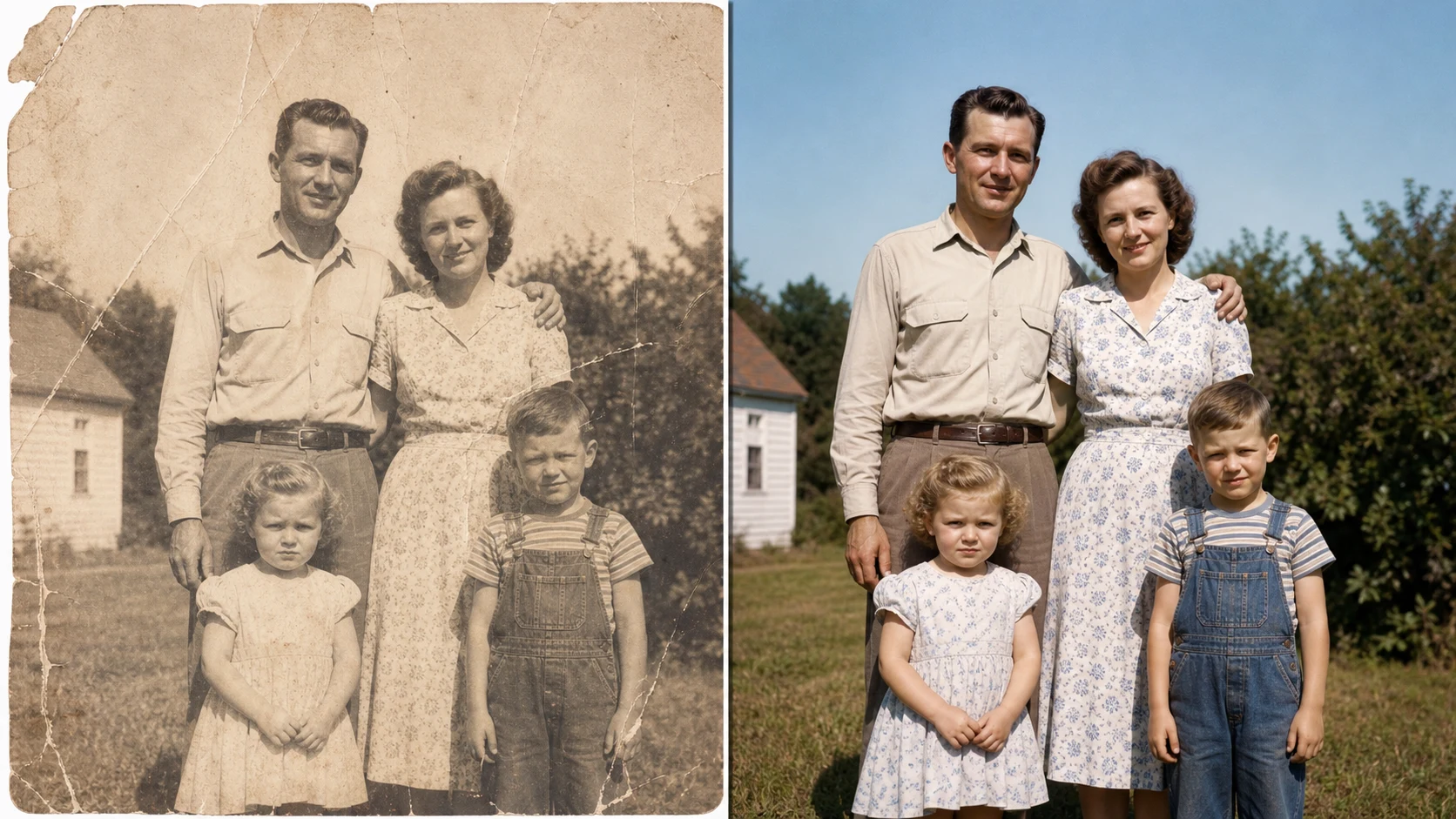
Old photo restorer online comparison of a faded family snapshot repaired and colorized

What an AI Old Photo Restorer Actually Fixes

An old photo restorer is different from a generic beauty filter. A useful old photo restorer online reads the original print first: the paper grain, the crack pattern, the faded shadows, the damaged corner, the soft focus, and the clues that show a face, uniform, wedding dress, school outfit, or family setting. Then the AI old photo restorer repairs the damaged surface and restores the picture without inventing a different person. A best old photo restorer should keep the same eyes, jawline, smile, age, clothing, pose, and background mood. It can turn old photo to new 4K online, but the goal is not to erase history. The best free old photo restorer online makes a memory clearer while keeping its vintage character.

Repairs Scratches and Cracks

Use the old photo restorer to clean torn edges, crease lines, dust, stains, and face scratches while keeping the original picture structure.

Adds Natural Colorization

The old photo restorer and colorizer can add believable skin tones, fabric color, background warmth, and daylight balance without neon colors.

Preserves Identity

A careful AI old photo restorer colorizer upscaler improves clarity, but it should not replace faces, modernize clothing, or remove historical context.

Why Use nana img as Your Best Old Photo Restorer

People search for old photo restorer free, old photo restorer free online, and best old photo restorer because they want a fast repair that still feels personal. nana img keeps the workflow simple: upload, describe the restoration, generate one restored image, then refine if needed.

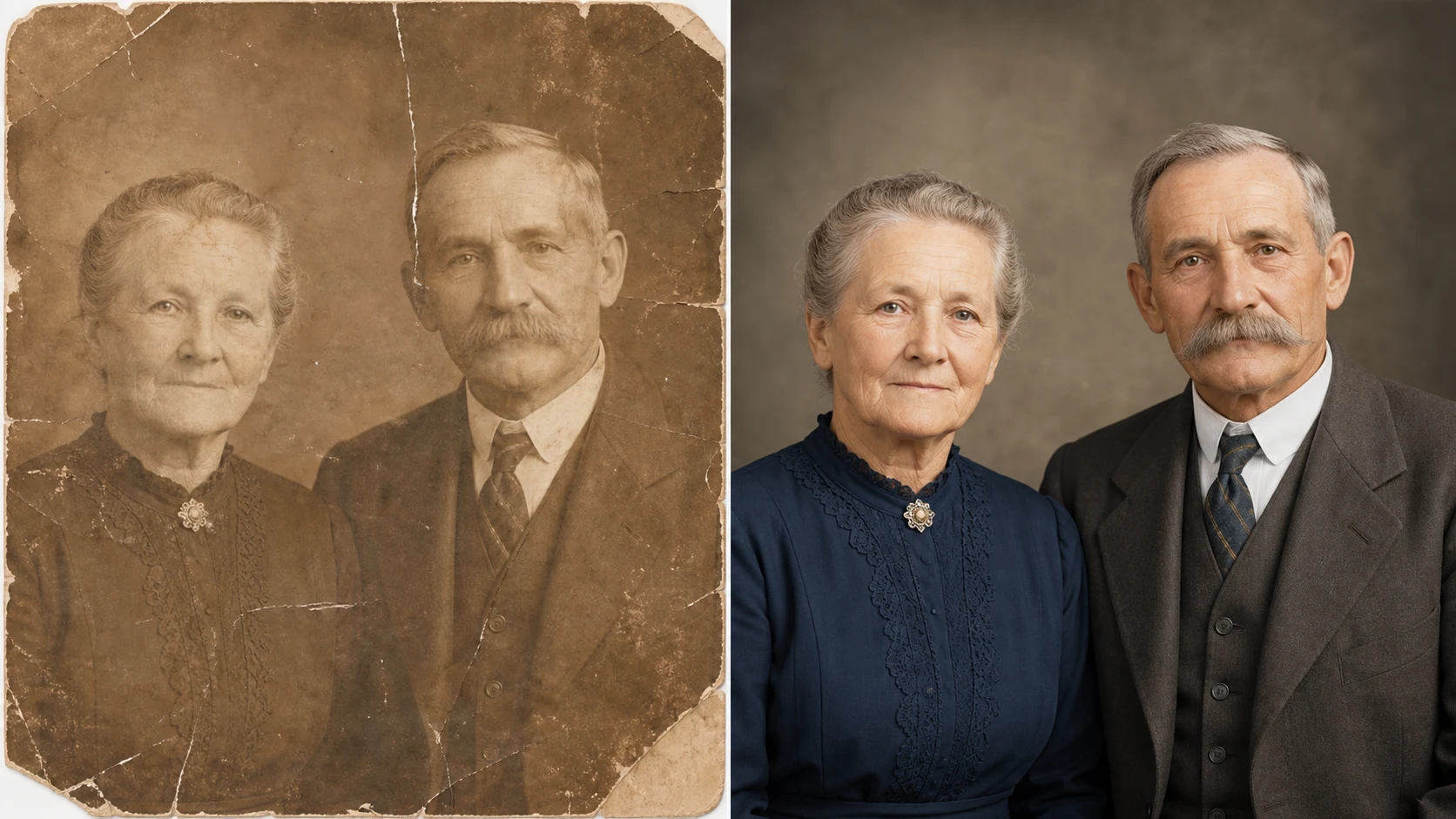
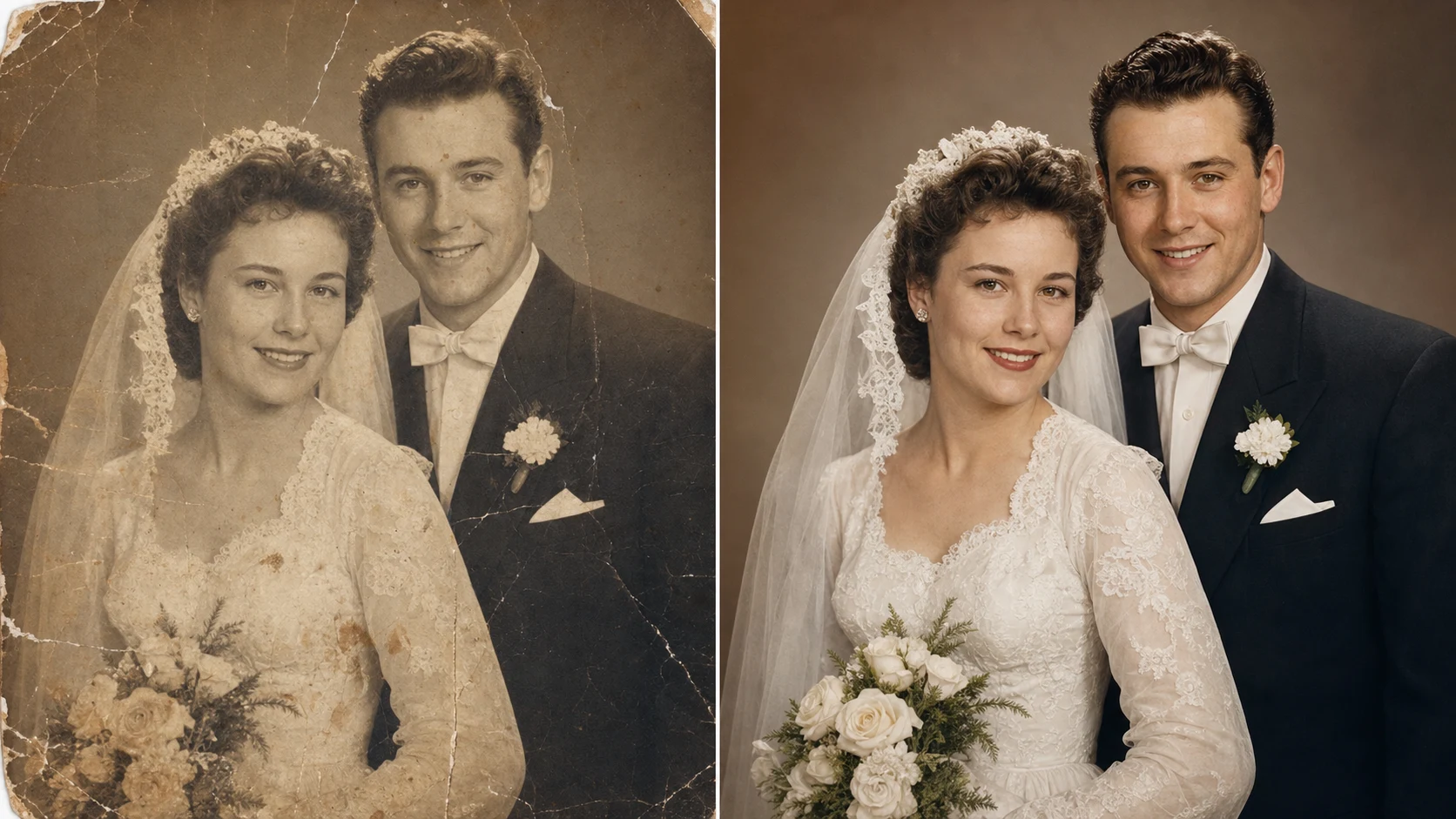
AI old photo restorer and colorizer comparison for a restored vintage wedding portrait

Damage Repair

Clean old prints without making them look artificial

Many old photographs are not technically broken; they are emotionally important but physically worn. The old photo restorer can repair scratches across faces, reduce paper cracks, clean dust, remove water stains, and strengthen contrast. The prompt asks for a respectful restoration finish so the output does not look like a plastic remake. When you use an old photo restorer online, ask for realistic detail, balanced light, and preserved historical character.

Scratch repairDust cleanupNatural finish
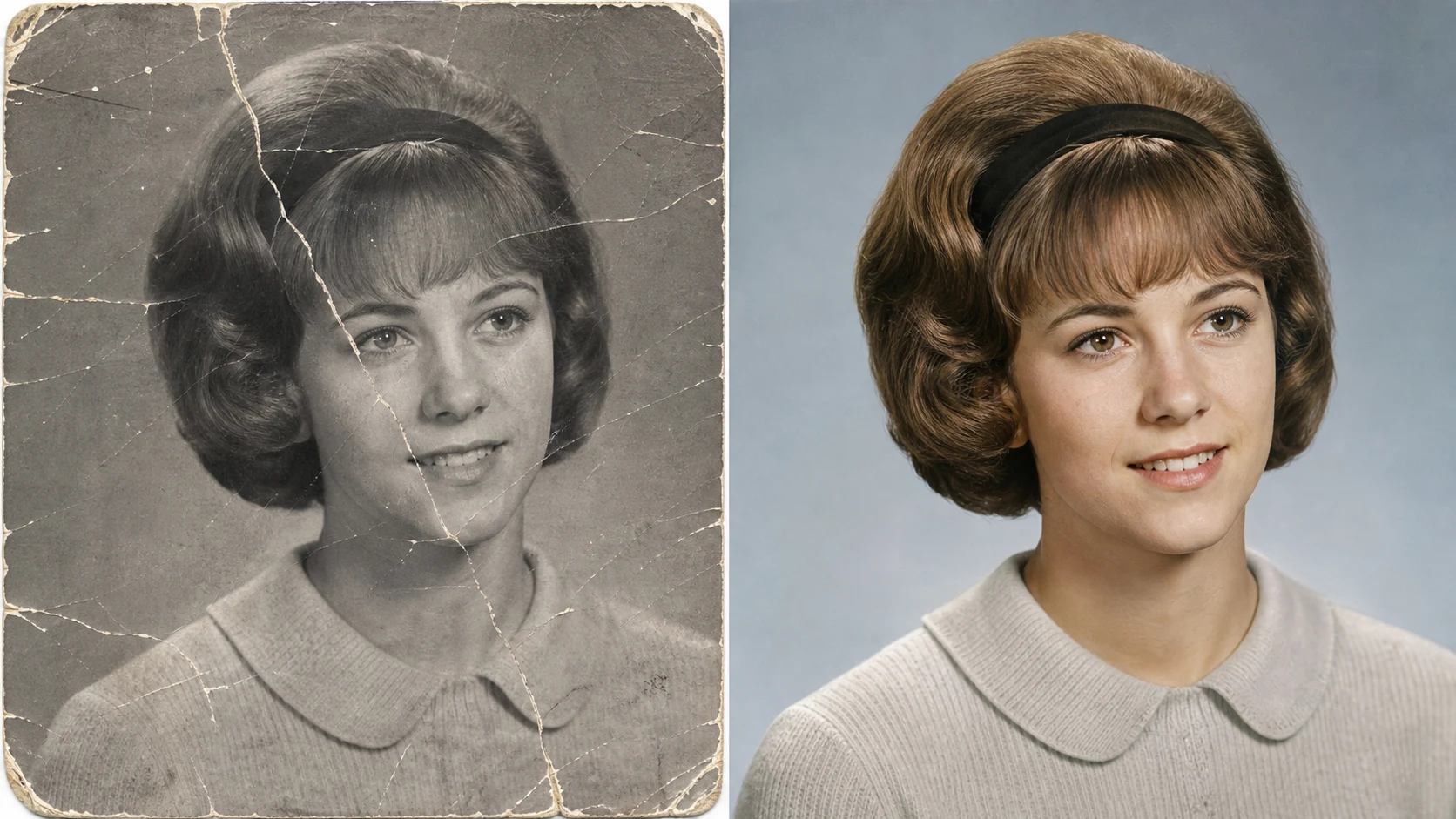
Best free old photo restorer online comparison for a scratched school portrait restored in 4K

Color and Upscale

Turn old photo to new 4K with natural color

Use the AI old photo restorer when a black-and-white print needs more than cleanup. The old photo restorer and colorizer can add gentle skin tones, recover fabric texture, brighten eyes, and sharpen hair or uniform details. It is also useful when you want old photo to new 4K online for a family archive, memorial video, anniversary slideshow, or framed print. Keep the prompt focused on one restored output and ask for natural colors rather than oversaturated modern effects.

4K upscaleColorizerFamily archive
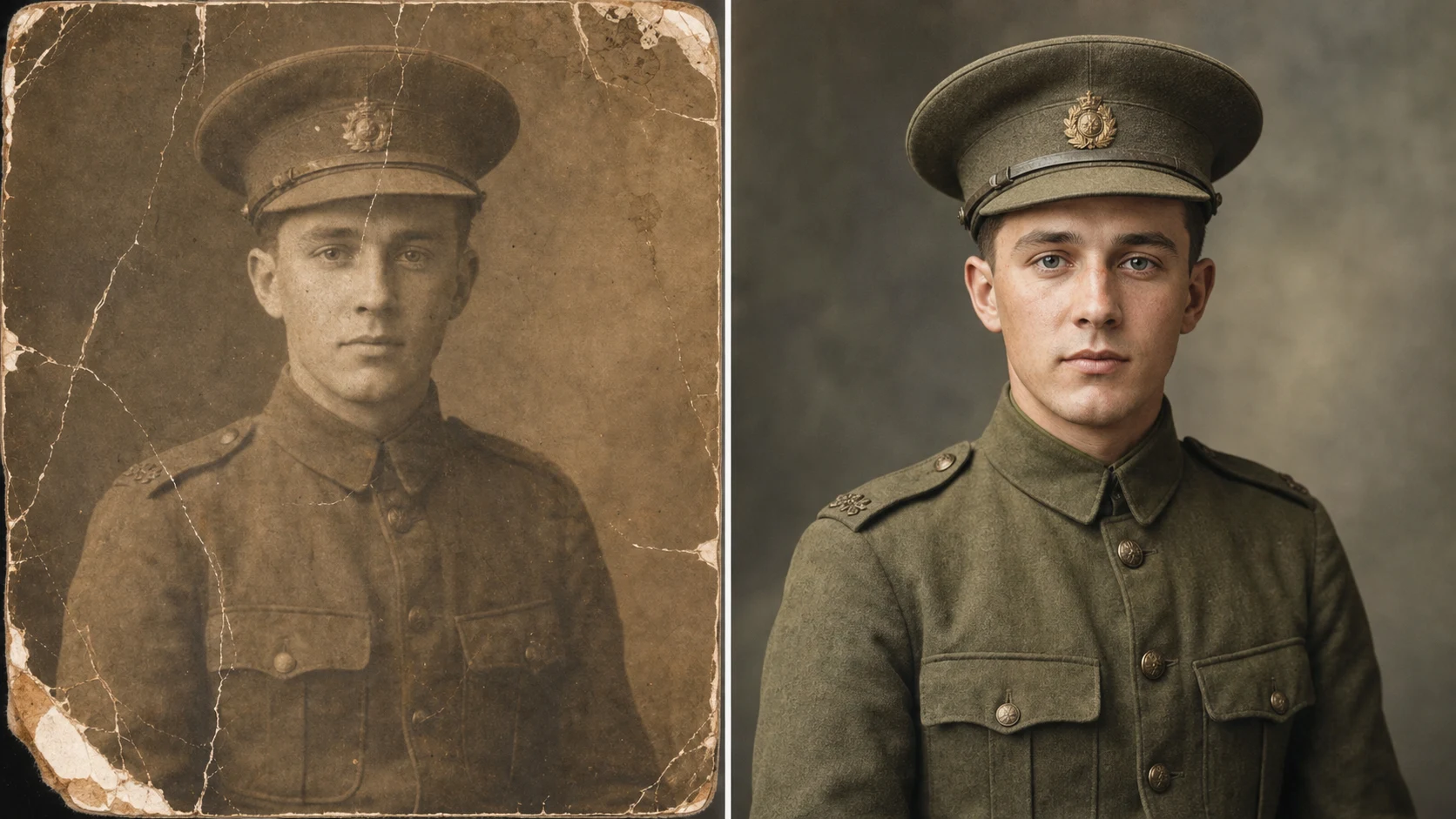
Old photo to new 4K online comparison of a faded soldier portrait restored with natural color

Identity Safe

Restore faces while preserving the original person

The best old photo restorer does not invent a cleaner face that no longer belongs to the family. It preserves expression, age, face shape, clothing, pose, and era. If a portrait is a grandparent, veteran, graduate, bride, groom, parent, or child, the restoration should feel like finding the same person in a clearer print. The old photo restorer free online workflow is strongest when your prompt says preserve identity and vintage character.

Same personNo face swapEra preserved

How to Use the Old Photo Restorer Online

You do not need a manual desktop retouch workflow. Use the old photo restorer online when you want a clean restored output from one uploaded image.

  1. 01

    Upload the old photo

    Choose a scanned family print, portrait, wedding photo, school photo, military photo, or childhood snapshot. The old photo restorer works best when the face and main subject are visible.

  2. 02

    Keep the restoration prompt

    Use the default old photo restorer prompt if you want balanced repair, colorization, sharpening, and identity preservation. Add notes if a specific area needs special care.

  3. 03

    Generate one restored result

    The page examples show comparisons, but the generator creates one restored photo. Review whether scratches, cracks, fading, blur, and stains were cleaned naturally.

  4. 04

    Refine for archive quality

    If the result feels too modern, ask for a more subtle archival restoration. If it is still soft, ask the AI old photo restorer colorizer upscaler for more realistic facial detail.

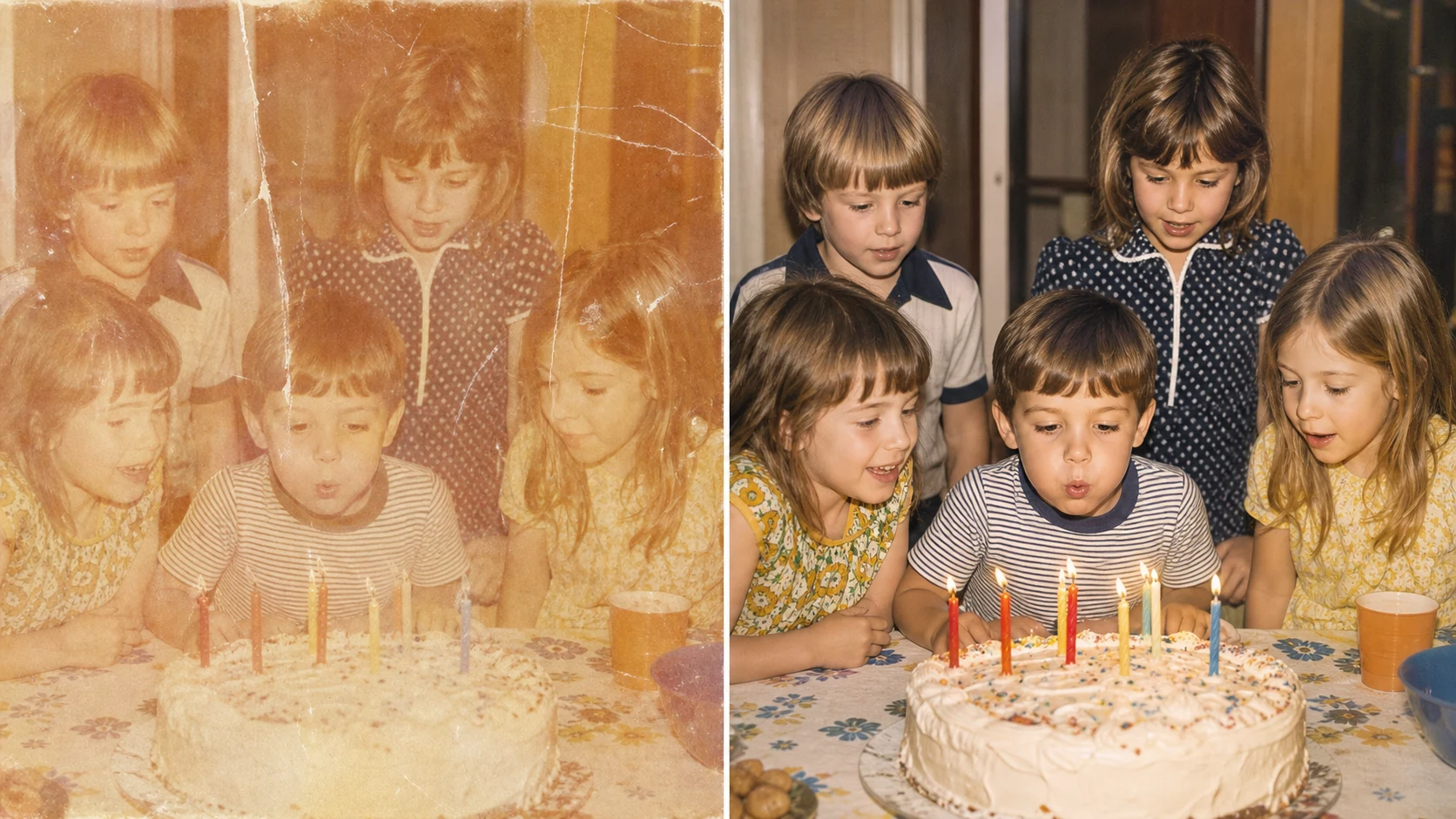
AI old photo restorer colorizer upscaler comparison restoring a faded childhood birthday photo

Best Old Photo Restorer Use Cases

Use the old photo restorer free online workflow whenever the original image matters more than a dramatic redesign. The tool is useful for family history, memorials, gifts, archives, social posts, and printed keepsakes.

Family albums and ancestry projects

Restore grandparents, parents, siblings, and childhood memories so a faded print becomes easier to share with relatives. An old photo restorer can make old album scans clearer without erasing the moment.

Wedding, school, and military portraits

Use the best old photo restorer for important portraits where clothing, pose, and era should stay accurate. Ask for repaired paper damage, natural color, and preserved identity.

Memorial slideshows and framed gifts

Old photo to new 4K online restoration helps when a picture will appear in a slideshow, photo wall, anniversary gift, or remembrance post. Sharpen carefully and keep the vintage mood.

Social sharing with respectful edits

An old photo restorer free tool can prepare a memory for a post without turning it into a fantasy image. Keep prompts grounded in repair, colorization, and realistic detail.

Old Photo Restorer FAQ

Answers about using an old photo restorer online, old photo restorer free access, colorization, 4K upscaling, no-login use, and safe photo restoration prompts.


Restore an Old Photo in One Natural AI Edit

Use nana img as your old photo restorer online. Upload a faded or damaged picture, repair the photo, colorize it naturally, and create one clearer restored result.