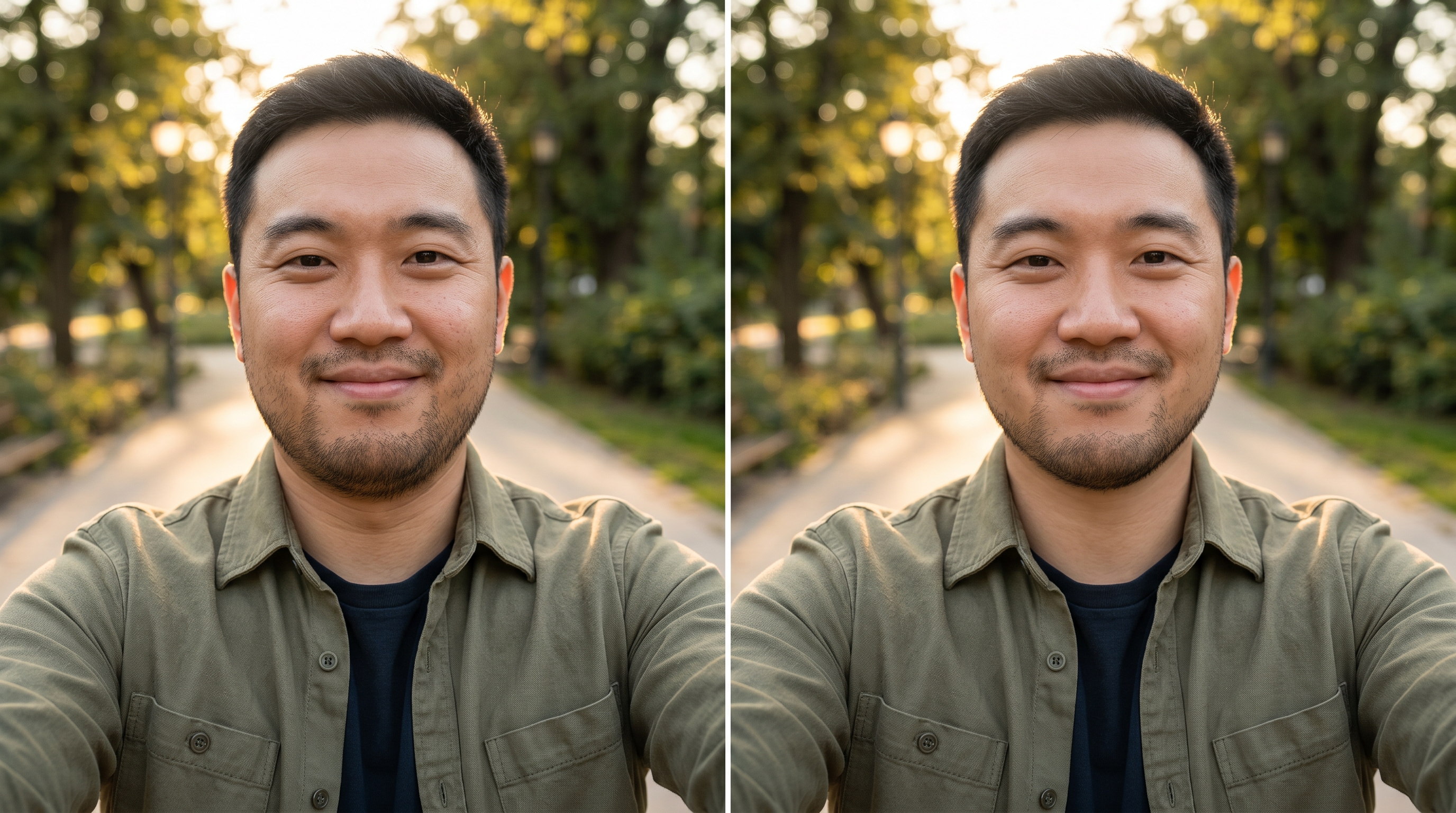
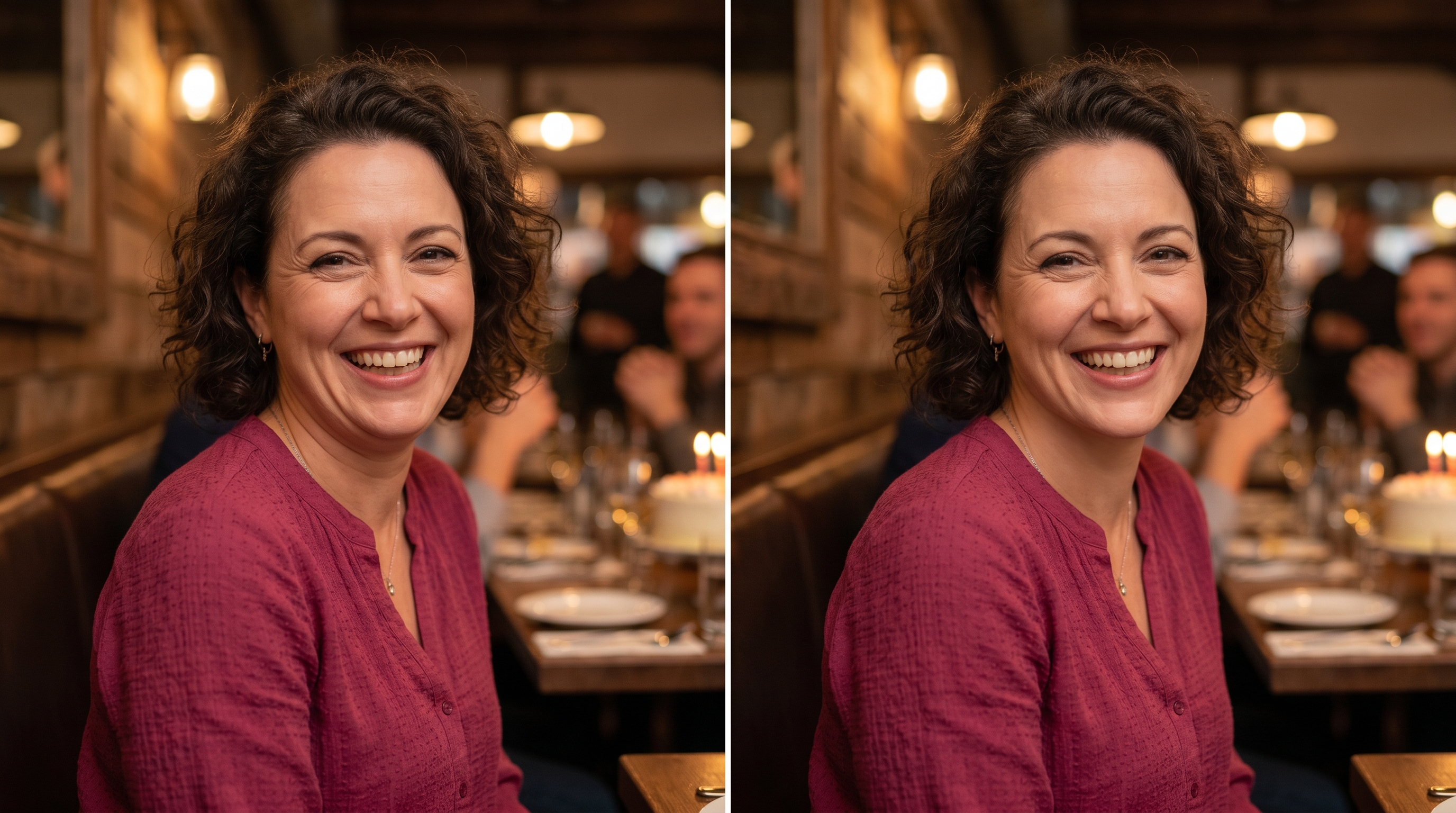
Remove Double Chin from Photo
Upload a selfie, profile photo, dating picture, family portrait, or social post image and remove double chin from photo in a natural way. This photo editor to remove double chin focuses on the under-chin area and jawline, then keeps the person's identity, age, skin tone, hair, clothing, lighting, and background intact. It is built for small fixes: edit out double chin from a low-angle picture, fix double chin in photo after a relaxed pose, or get rid of double chin in pictures before you post them. Use the default prompt as-is or add notes about keeping texture, preserving face shape, or avoiding beauty-filter smoothing.
Remove Double Chin from Photo Without Changing the Person
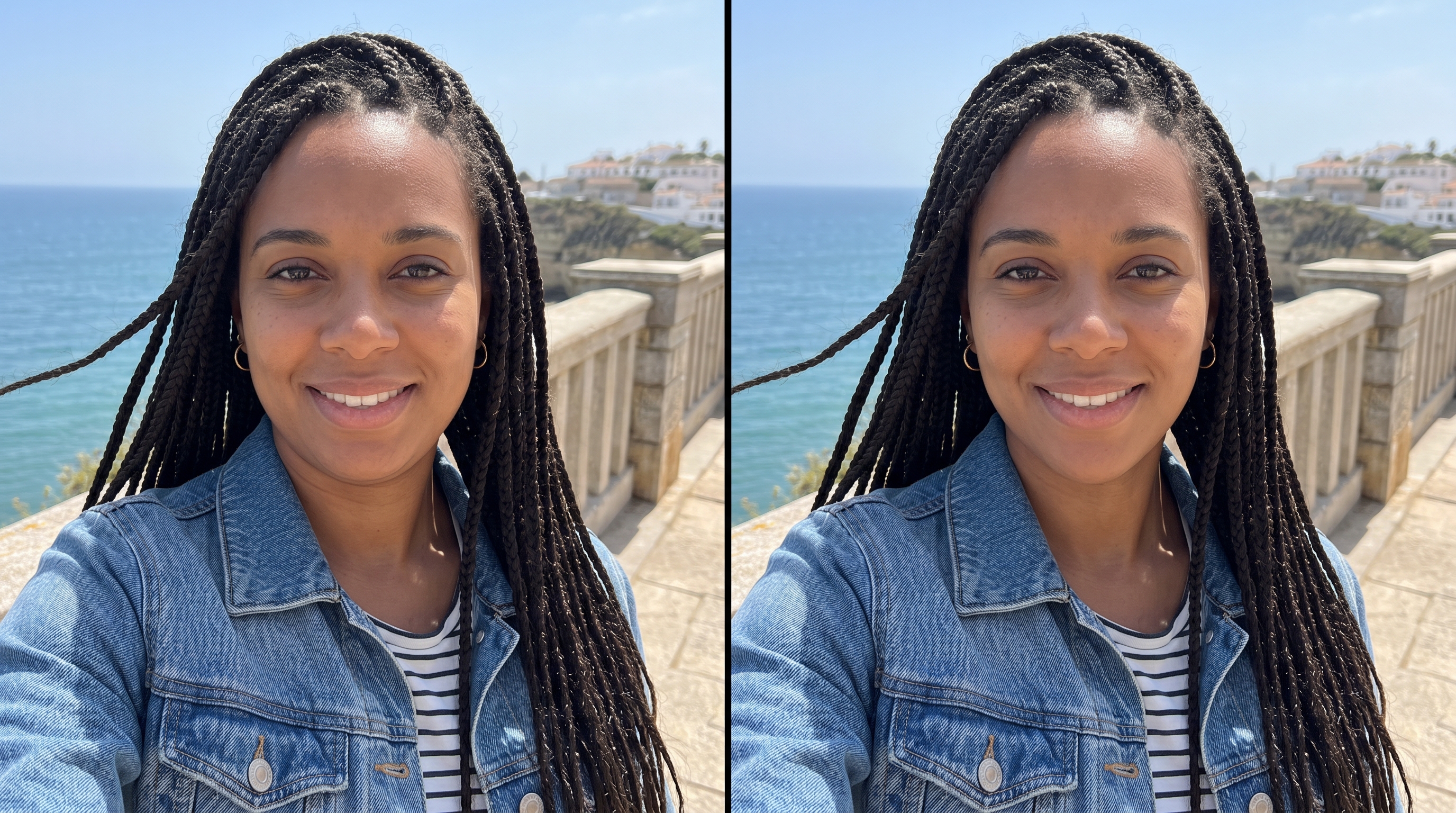
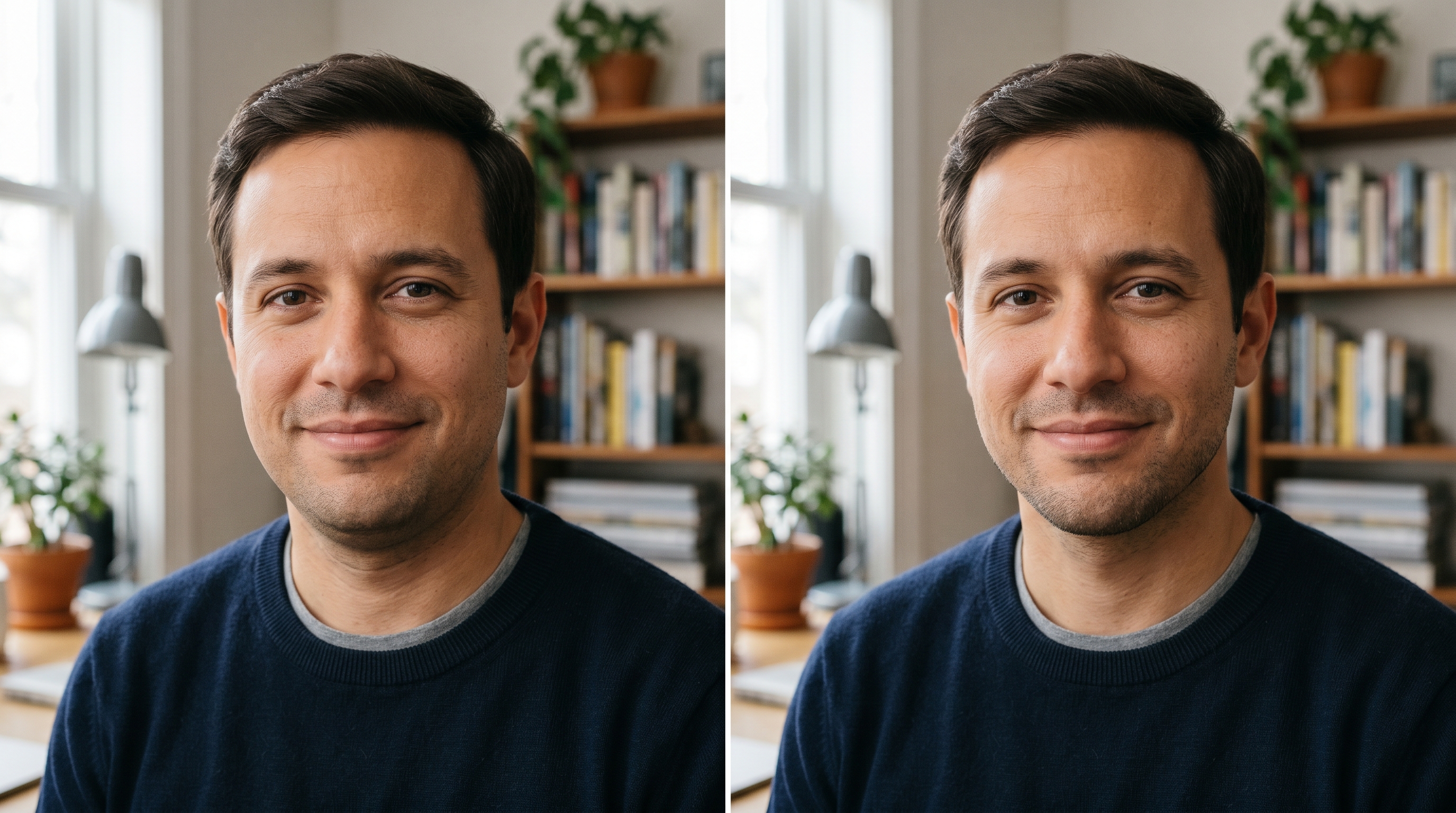
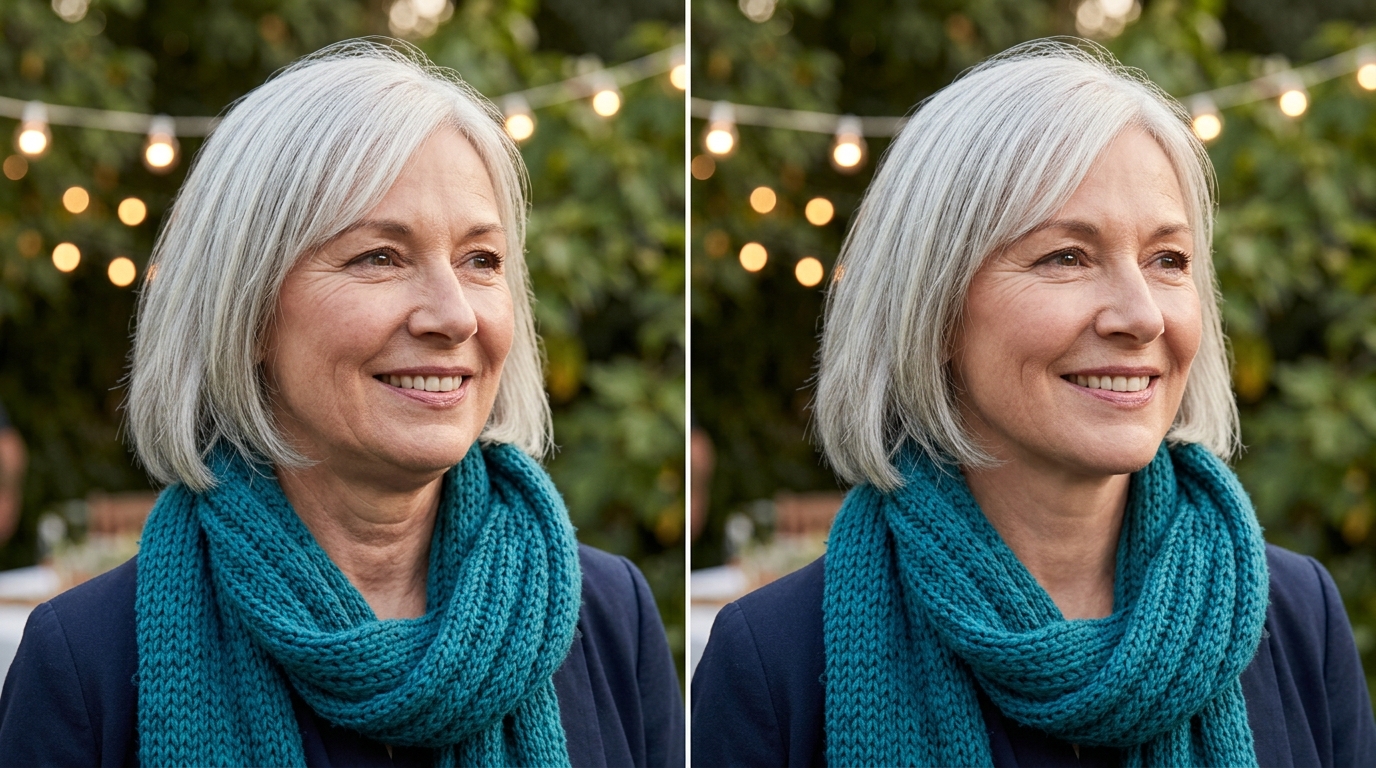
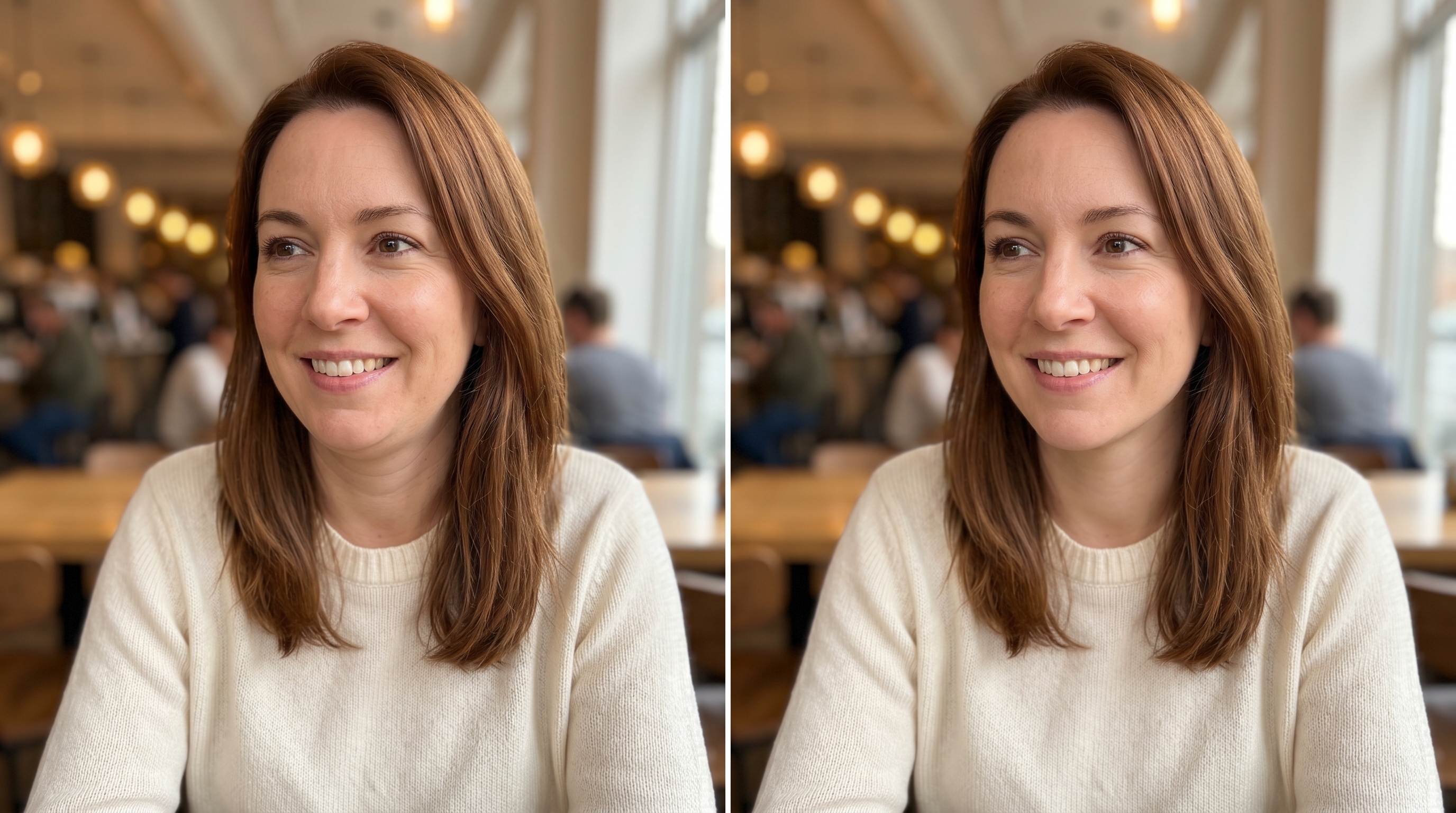
A low phone angle can create an under-chin fold in an otherwise great portrait. Use nana img to remove double chin from photo online free, keep the real expression, and make the edit look like a careful retouch instead of a face swap. The examples use comparison images so you can see the difference, but the generator returns one clean edited photo.

What a Double Chin Picture Remover Actually Fixes
A double chin picture remover is not supposed to rebuild a person into someone else. The useful version is much narrower: it reads the shadow under the chin, the fold created by a low phone angle, the relaxed neck posture, and the edge where the jawline should remain believable. Then it performs a local portrait retouch. If you want to remove double chin from photo online free, the best result keeps the same face fullness, smile, cheeks, nose, eyes, skin tone, hairline, and background. The edit should look like the photo was taken from a slightly better angle, not like dramatic weight loss. That is why nana img treats this as photo edit double chin cleanup, not a beauty-filter preset.
Targets the Under-Chin Area
Use the tool to remove double chin in photo online when the problem comes from shadow, posture, or a low camera angle. The rest of the portrait should stay stable.
Keeps the Face Recognizable
The goal is to get rid of double chin in photo while preserving real face shape. It should not sharpen the whole jaw into a different person.
Avoids Plastic Smoothing
A good double chin removal photo editor online keeps pores, mature skin texture, smile lines, and natural light so the result still feels photographic.
Why Use nana img to Remove Double Chin from Photo
Use nana img when you need a photo editor to get rid of double chin without learning masks, clone tools, liquify brushes, or manual retouching.
Natural First
Edit out double chin without making the face look fake
Many apps promise to edit double chin out of photo, then over-sharpen the jaw, smooth the neck, or reshape the whole face. nana img is better for modest corrections. It can remove double chin on photo while keeping the person's real cheeks, smile, mature skin, beard stubble, makeup, and lighting. If the original was already attractive and social-media-worthy, the edited version should simply remove the distracting under-chin fold.

Low-Angle Rescue
Fix double chin in photo caused by phone angle
A relaxed selfie or friend-taken portrait can make the chin area look heavier than it does in real life. Instead of retaking the picture, use a photo editor to remove double chin from photo free and correct only that local issue. The edit works best when the prompt asks to keep face shape, age, skin tone, hair, background, and expression unchanged.

Portrait Ready
Use one prompt for profiles, headshots, and social posts
Need a profile photo editor to get rid of double chin before LinkedIn, a dating app, a family album, or a team page? Upload the image, keep the default prompt, and generate one transformed output. You can edit out a double chin, reduce the neck shadow, and keep the photo authentic enough for professional or personal use.

How to Remove Double Chin from Photo Online
You do not need a complicated desktop editor. Follow these steps to remove double chin from photo online and keep the final result natural.
- 01
Upload the portrait
Choose the photo where the person looks good but the camera angle, posture, or shadow creates a double chin. Clear front-facing portraits work especially well.
- 02
Use the natural edit prompt
Keep the default prompt if you want a balanced result. It tells the AI to remove double chin from photo while preserving identity, age, expression, skin tone, and lighting.
- 03
Generate one edited output
The page examples are comparison images, but your generation returns one transformed photo. Review the under-chin area and make sure the face still looks like the same person.
- 04
Download and share
Save the edited portrait for a profile, post, family album, or professional page. If the change looks too strong, regenerate with wording like subtle, realistic, and preserve face shape.

When to Use a Photo Editor to Remove Double Chin
These are the common situations where people search for remove double chin from photo online free and need a result that looks like a real photo.
Candid photos taken from below
Friend-taken photos often come from chest height or a table angle. Use the tool to get rid of double chin in pictures while keeping the candid expression and real scene.
Professional headshots that need a small cleanup
If a video-call screenshot or quick office portrait has an under-chin shadow, this photo editor to remove double chin can make it usable without heavy retouching.
Social posts where the face already looks good
Sometimes the only issue is a small fold below the jaw. Remove double chin picture distractions, not personality, expression, or natural face fullness.
Family portraits with mature skin texture
A respectful edit keeps age, texture, and warmth. Use wording like natural and realistic when you remove double chin in pictures of parents or grandparents.
FAQ: Remove Double Chin from Photo
Answers about free use, sign-up, realism, privacy, and how to prompt a double chin removal photo editor online.
Remove Double Chin from Photo in One Natural Edit
Use nana img when a low angle creates a distracting under-chin fold. Upload your portrait, remove double chin from photo, and keep the person looking real.